
Elden Ring
Elden Ring
⟵ Click the sections on the left to quickly jump to the part you want. You’re welcome to leave comments or submit edit suggestions.
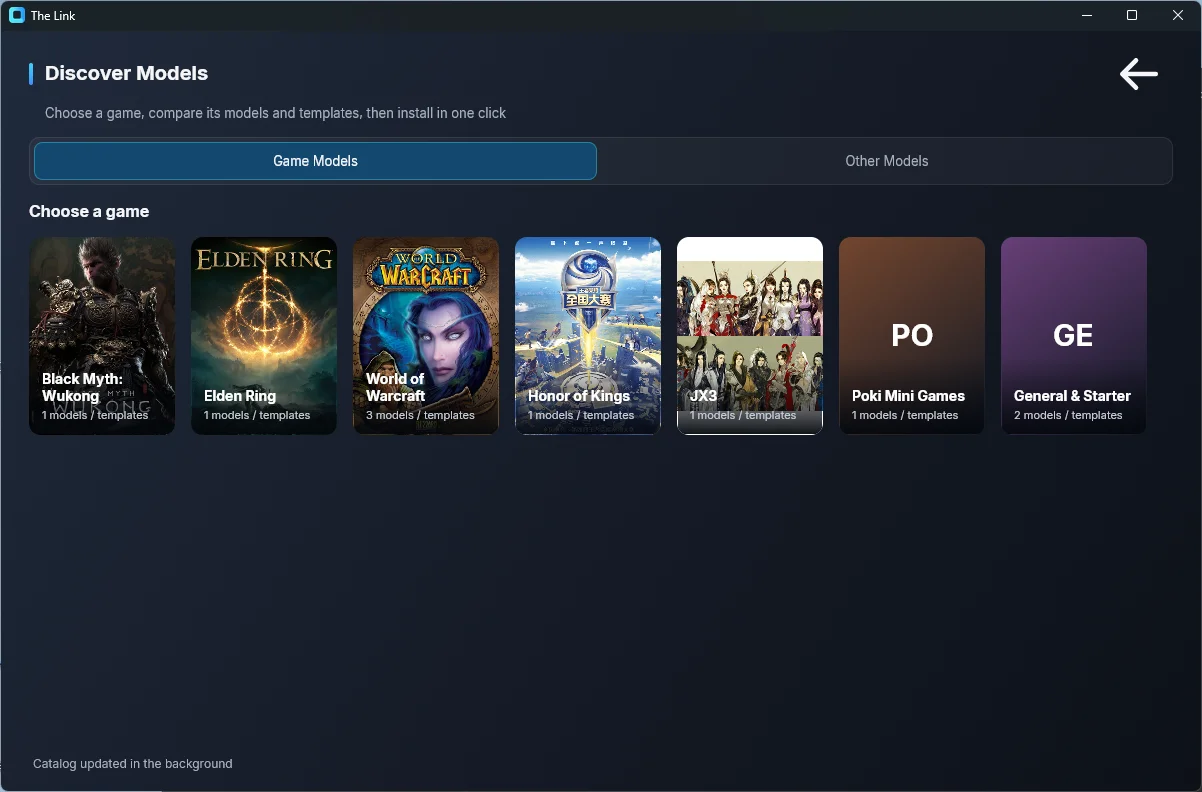
You can also download my official "Elden Ring — Default Key Restore" template via The Link > Settings > Discover Models, then modify it to fit your setup: pick the "Elden Ring" game card on the Game Models page, find the model card (it carries the "Official" badge and shows the author, likes, and download count), then click "Install" (Download & Load). The card also has "Demo" and "Guide" buttons.
In-Game Settings Recommendations
Because Elden Ring is very sensitive to input timing, if you're using my template, it’s strongly recommended to restore the game’s key bindings to default.
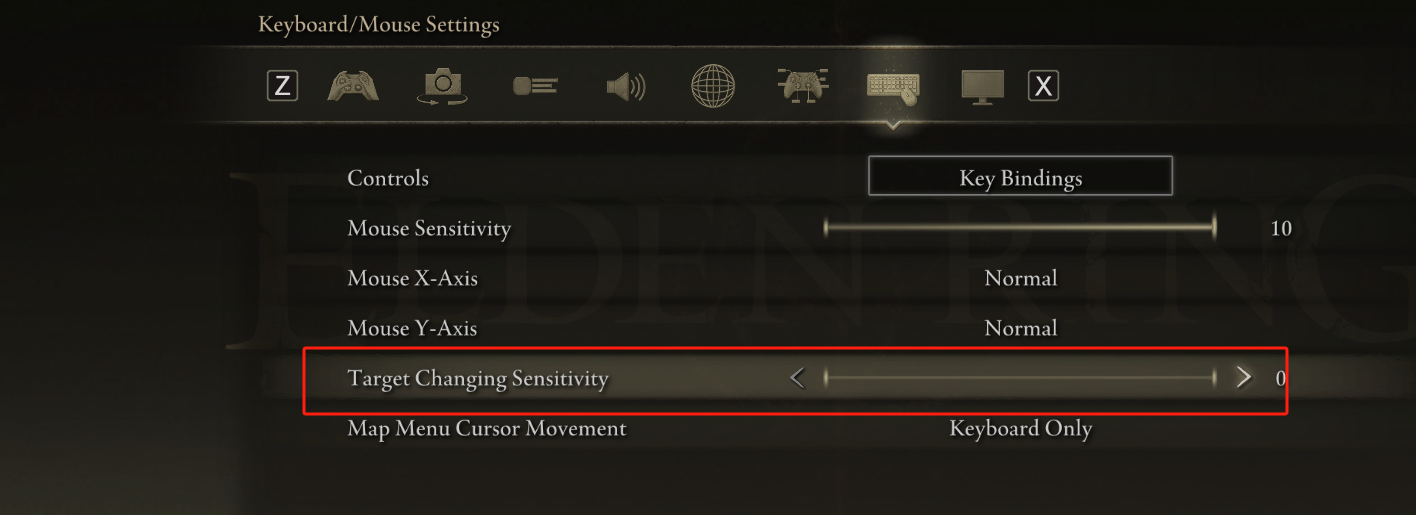
Switch Target Lock-On Sensitivity
Go to the Keyboard & Mouse Settings, and decrease the "Target Changing Sensitivity" to 0.
This helps prevent frequent automatic target switching during motion-based combat.
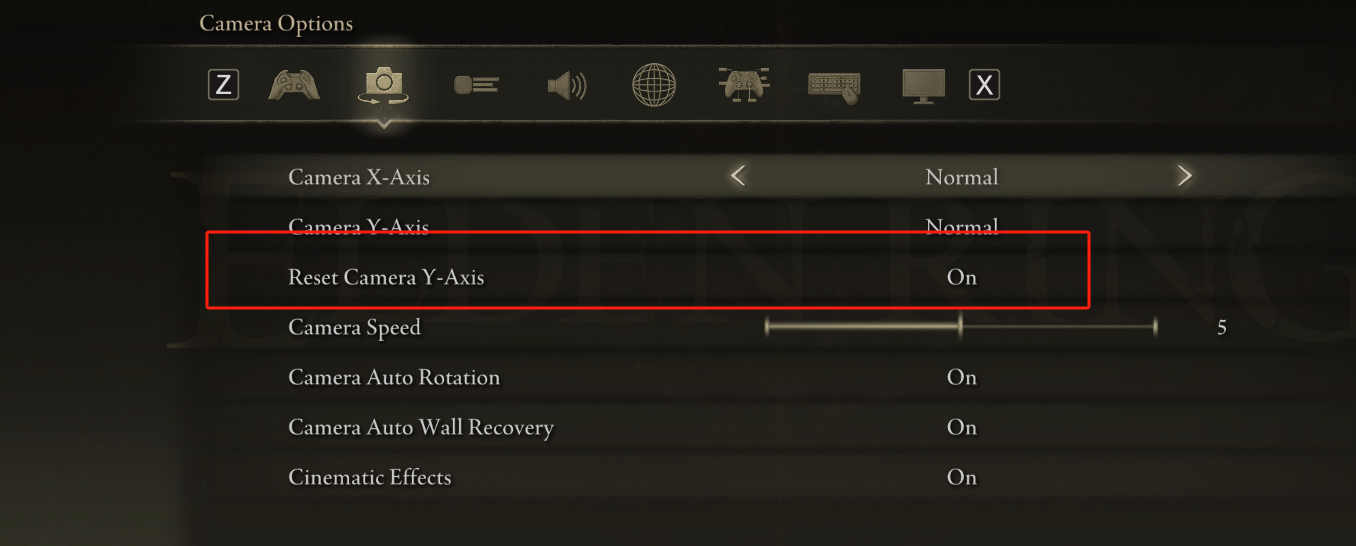
Enable Vertical Camera Reset
In the Camera Settings, enable Vertical Camera Angle Reset.This way, when you perform a lock-on pose, the camera will auto-center vertically—very helpful when motion controls disrupt your view.You can also assign a Reset Camera Hotkey to a specific movement or pose.
Recommended Builds
Elden Ring is tough with motion capture—even I find it challenging. That’s why I recommend starting with an easy build and playing from a New Game+ save.