
Add Voice Recognition
A voice input is an offline hotword. The app listens only for the command phrases configured for the current runtime stage; it does not send microphone audio to a cloud speech service.
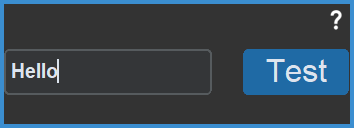
Add and test a command
- Add a Voice Recognition input in the Link editor and type the exact phrase you want to say into the Enter voice command field.
- Set its Sensitivity. A higher value is easier to trigger and may increase false activations.
- Select Test and say the phrase from your normal play position; a spoken and on-screen prompt confirms recognition. Select Test again to end the test.
The Chinese interface uses only the Chinese model (WenetSpeech), and the English interface uses only the English model (GigaSpeech). A phrase the active model cannot recognize (for example, an English command while the interface language is Chinese) fails with an error and cannot be used — switch the interface language first.
Reduce false triggers
Game audio from speakers, livestream commentary, and nearby conversation can resemble a hotword. Prefer short phrases that sound distinct from one another, lower the sensitivity of a troublesome command, or add a pose Link as a parent condition so voice and pose must both match.
See Voice Recognition for microphone selection, System Commands, sensitivity, and troubleshooting.