
On this page
Choose your Monster Hunter version and weapon first. Rise, Wilds and other releases do not share one universal focus binding or complete move list.
Start with one weapon page
- Complete template setup. Enable only the current weapon's Links and a few movement controls.
- Double-click an attack Link and check its game binding; edit or re-record mismatched output.
- Try its existing trigger, Save the Link and start recognition.
Generated models retain actions with usable inputs and may omit weapon pages. Keyboard/mouse and controller schemes may contain different actions. Add missing actions as needed and avoid enabling overlapping input pages together.
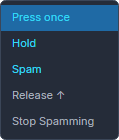
Open the execution selector below the output. Hold sustains the key; Spam repeats it. For one tap, choose Press once at the top of the menu.
Tap, charge and aim
Choose Press once for taps/toggles and Hold only for sustained presses. Verify release when leaving the pose, then add Game Camera Mouse or phone/controller aiming.
For a missing binding, check the game's controls instead of guessing a focus key.
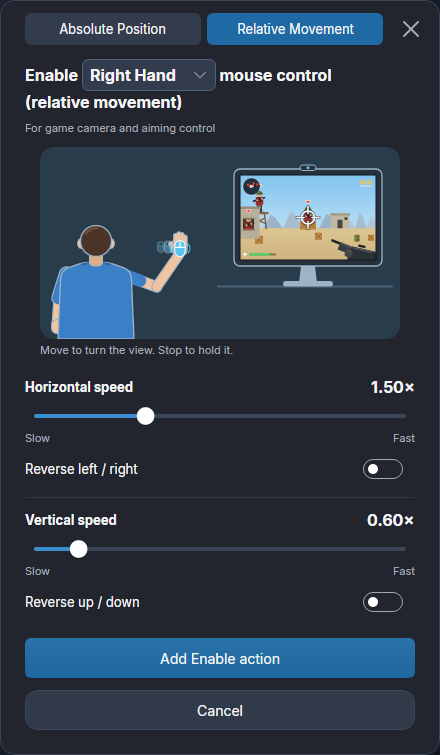
Select the tracked body part, tune horizontal and vertical speed or reversal, then select Add Enable action. Choose Hold below the output, Save and start recognition.
Check in the training area
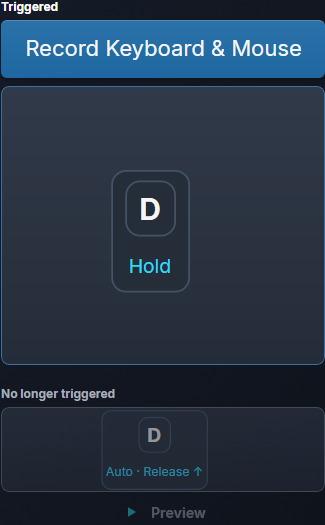
Hold sustains example D; No longer triggered releases it automatically. Check both activation and ending areas before saving.
Test attack context, movement, activation and release separately, relaxing between attempts. Save a named model when one weapon works before trying another page. See Output Recording for combinations or Troubleshooting when the game does nothing.