
On this page
A game model combines game bindings with body inputs. Generated full-body and upper-body models already include usable, enabled controls. Try them first, then change the ones that do not suit you.
Download and inspect
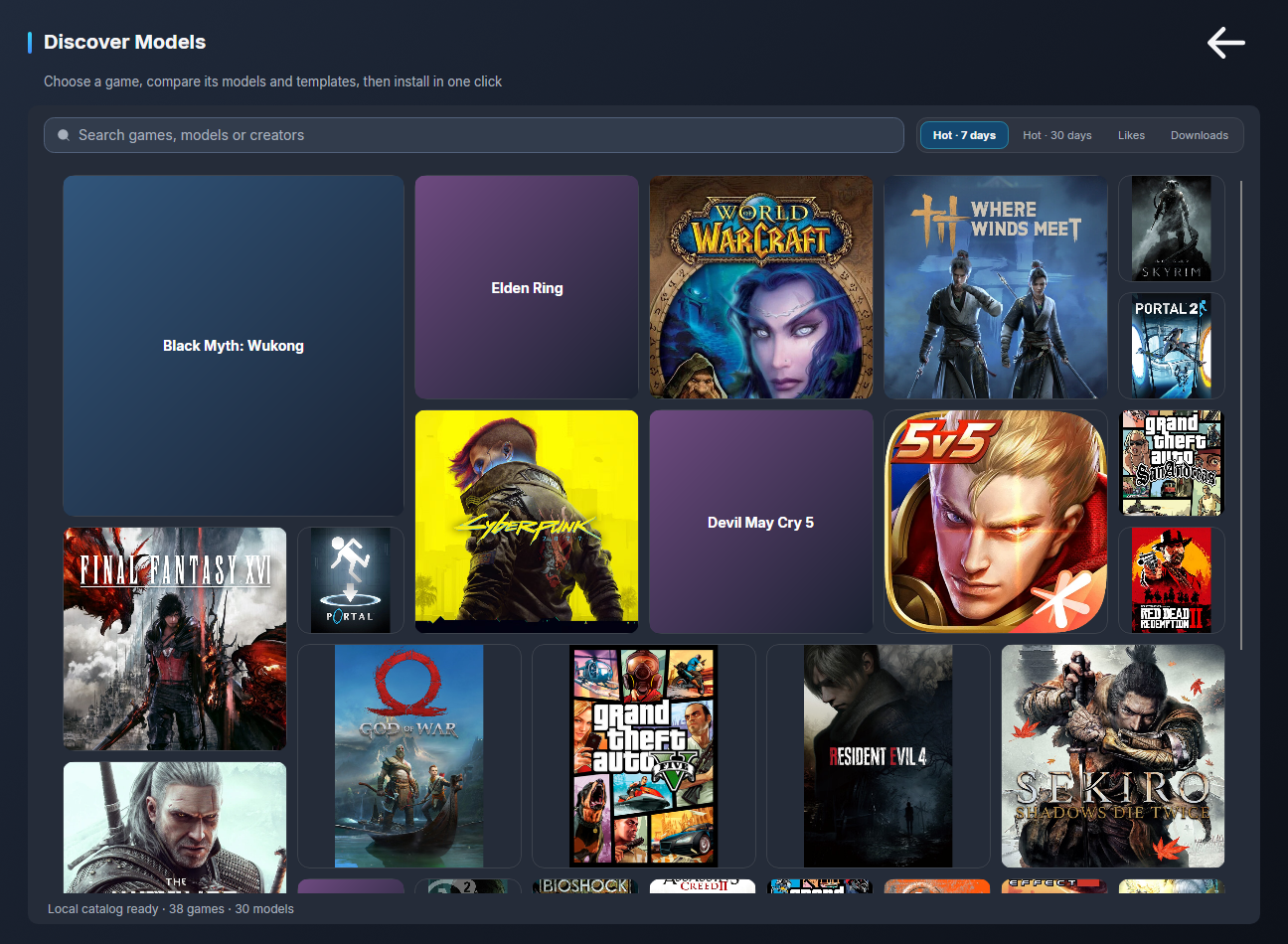
Search for the game at the top of Discover Models, then open its card to compare the available models.
- In Settings → Discover Models, search for the game, read the description and download an offered full-body/upper-body version. Respond to unsaved-change prompts.
- After loading, inspect the input thumbnails, enabled Links and pages. New Model also lets you search games or create a blank model.
- Check the real binding in the game's Controls settings and try it with an ordinary keyboard/controller.
Generated models keep actions with usable inputs, so they may contain fewer actions than the game's binding list. Compatible personal Favorites replace matching shared inputs. Authored community models retain their controls; older output-only templates and blank models may need inputs. After a phone's Download to PC, finish setup on the computer.
Make one action work
- Open Model output at the top and choose Keyboard and mouse or Controller. These schemes save separately; read the switch prompt, which may save the open Link.
- Double-click its Link and inspect the output. Edit old bindings when replacing them; recording new keys appends outputs.
- Try the existing input; re-record or adjust its Hitbox as needed. For an empty input area, use Add a trigger ▾.
- Choose execution and Save the Link. Enable the Link and its page, and keep a way to stop.
- Start recognition, switch to the game and test activation and release. Save the model when reliable.
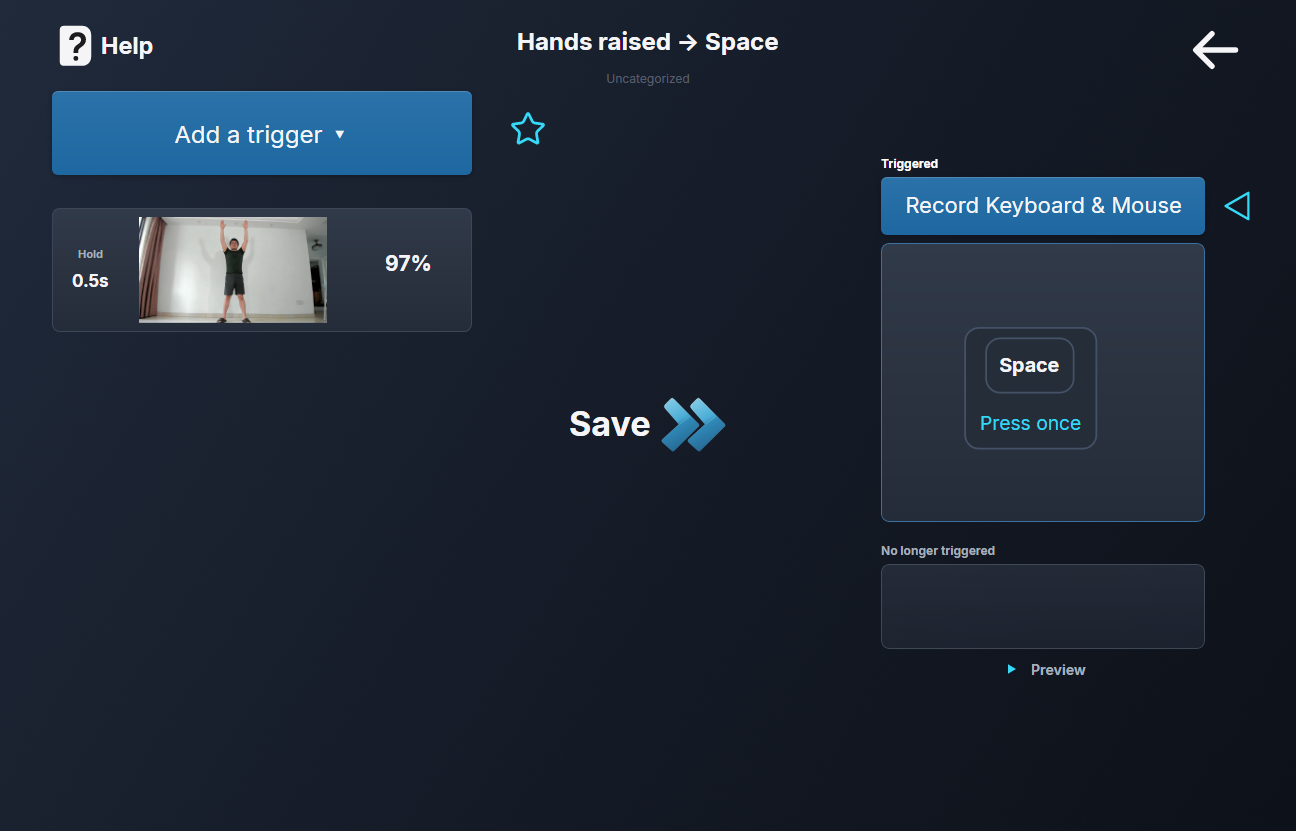
Choose execution below the output; Preview tests output; Save keeps the Link. Input is on the left; replace the example Space key with your game binding.
| Purpose | Usual execution |
|---|---|
| Tap | Press once |
| Hold a key with the pose | Hold |
| Continuous relative mouse movement | Keep moving |
Set execution below the output. See Output Recording.
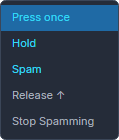
Open the execution selector below the output. Hold sustains the key; Spam repeats it. For one tap, choose Press once at the top of the menu.
Keep the controls you need
Choose the weapon, vehicle and control pages for the current context; avoid competing actions. Windows and macOS use the same model, but compare bindings with your installed game. Models do not configure your skill bar or saved game camera views.
Use body mouse, a stick or phone motion for aiming. Menus can stay on a keyboard/mouse or phone.
| Symptom | Check first |
|---|---|
| No trigger | Input present; Link and page enabled |
| Phone/controller unavailable | Device connection and control screen |
| Trigger feedback, no game response | Output type, actual key, game focus, setup/repair prompt |
| Wrong action | Current game state, weapon and binding |
See Community & Models for downloads/authors and Troubleshooting for diagnosis. Game guides are configuration examples, not gameplay verification for every patch.