
Use a Link as a Trigger Condition
Choose Add Parent Link from the ▽ menu in the Link editor to use another Link (the parent) as one of the current Link's input conditions:
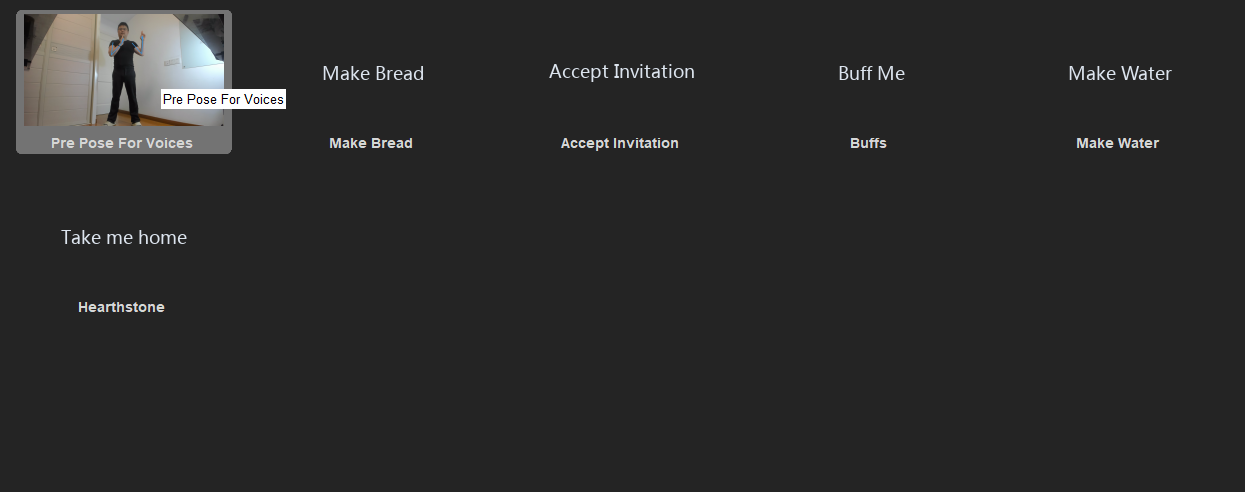
How It Works
- After adding, a Choose a Link: widget appears in the input area — pick the page with the first dropdown, then the Link on that page with the second.
- This is a live state condition: it is satisfied while the parent Link is currently triggered, and stops being satisfied the moment the parent releases. It is not a short time window after the parent fires.
- Under Match all logic, the parent condition carries the same ✓/✗ expectation mark as other inputs, so you can flip it to must not be satisfied — "only while the parent Link is NOT triggered."
- Parent Link inputs cannot be favorited (★); they can only be deleted.
Example Use Cases
Avoid repeated computation
When many Links need to recognize the same pose, create one dedicated Link for that pose and reference it as a condition in the others. This is more stable and avoids the cost of recognizing the same pose multiple times — it is only evaluated once.
For example, to prevent false triggers while livestreaming, gate every voice command behind the same "voice pre-pose" Link: voice commands only work while the pre-pose is held.
Dynamic stance/mode layers
Make a "stance" a Hold-style Link, then give every skill Link of that stance the stance Link as a condition: the skills work while you hold the stance and all deactivate the moment you leave it. With must not be satisfied you can express a second set of skills that only works outside that stance.
Build more complex input logic
Each Link holds at most 3 inputs and one logic type (In sequence / Match all / Any true). To mix logic types or exceed 3 conditions, chain Links via parent conditions to express the logic in layers.
Build combos and prevent misfires
Split a combo into separate Links and make each one the parent of the next: the next move is only evaluated while the previous one is still triggered. This chains moves into long combos while lowering the chance of misfires.
Check the Built-in Alternatives First
Several built-in features now cover patterns that used to require chained Links — reach for these first:
- In sequence + gap timers: the first choice for continuous motions/combos. Each gap between inputs takes a 0.1–10.0 s time limit; on timeout the sequence restarts from the first input (see Pose Recognition).
- Match all ✓/✗ expectations: express "do A while not doing B" without any parent Link.
- Advanced outputs (Expand to edit): once expanded, Link triggered and Link no longer triggered are two separately editable output programs — a single Link can do one thing on trigger and another on release, so many output patterns no longer need two chained Links.